# Bonkbot - Telegram Trading Bot

<figure><img src="https://250218532-files.gitbook.io/~/files/v0/b/gitbook-x-prod.appspot.com/o/spaces%2F2lOIZWa4paCuwsNcNkda%2Fuploads%2Fgit-blob-d1ee8cbc0bf4f8a4f6bbcb05b9a1f596b8ac50c7%2FBonkbot_1.png?alt=media" alt="CYS and Bonk Wallet"><figcaption><p>How to claim your sol from Bonkbot wallet - Step by Step explanation</p></figcaption></figure>

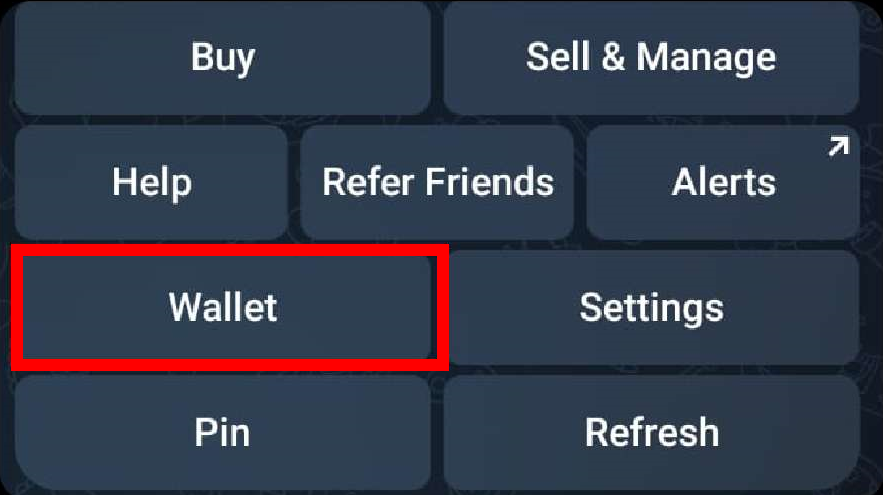
1. Open [**Bonkbot**](https://bonkbot.io/) and do /start
2. Click on Wallet

<figure><img src="https://250218532-files.gitbook.io/~/files/v0/b/gitbook-x-prod.appspot.com/o/spaces%2F2lOIZWa4paCuwsNcNkda%2Fuploads%2Fgit-blob-fc58507d370756be0a281ef383dc5b39ae598267%2FBonkbot_2.png?alt=media" alt="Select Wallet"><figcaption><p>Bonkbot - Press Wallet</p></figcaption></figure>

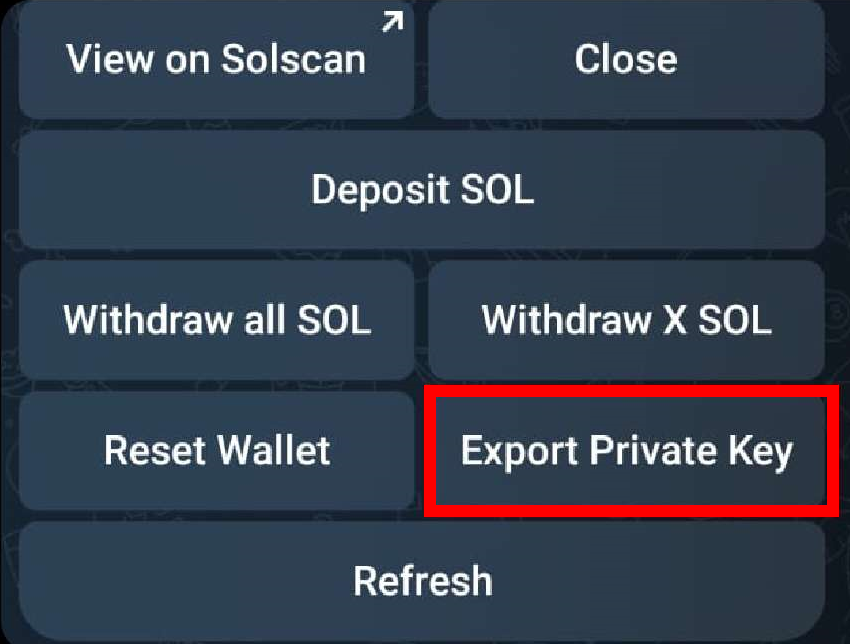
3. Click on Export Private Key

<figure><img src="https://250218532-files.gitbook.io/~/files/v0/b/gitbook-x-prod.appspot.com/o/spaces%2F2lOIZWa4paCuwsNcNkda%2Fuploads%2Fgit-blob-9c94f48032f3b5cfa8a18fc76cdeadc9a643ee0b%2FBonkbot_3.png?alt=media" alt="Export the Private Key"><figcaption><p>Bonkbot - Press Export Private Key</p></figcaption></figure>

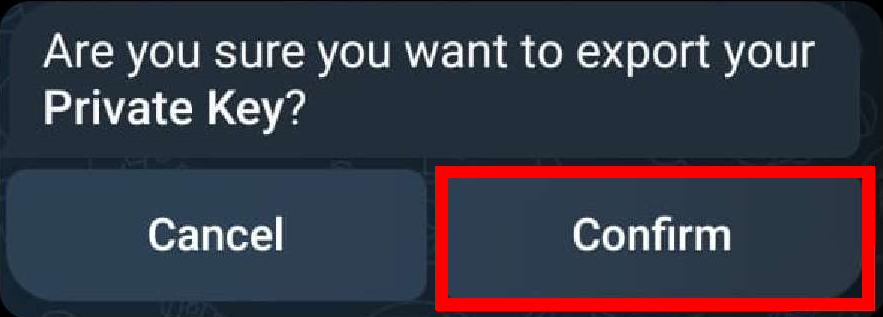
4. Choose Confirm

<figure><img src="https://250218532-files.gitbook.io/~/files/v0/b/gitbook-x-prod.appspot.com/o/spaces%2F2lOIZWa4paCuwsNcNkda%2Fuploads%2Fgit-blob-bd04ac2199785972a5208968150a4cddf9cbfd18%2FBonkbot_4.png?alt=media" alt="Confirm the Export of the Private Key"><figcaption><p>Bonkbot - Press Confirm</p></figcaption></figure>

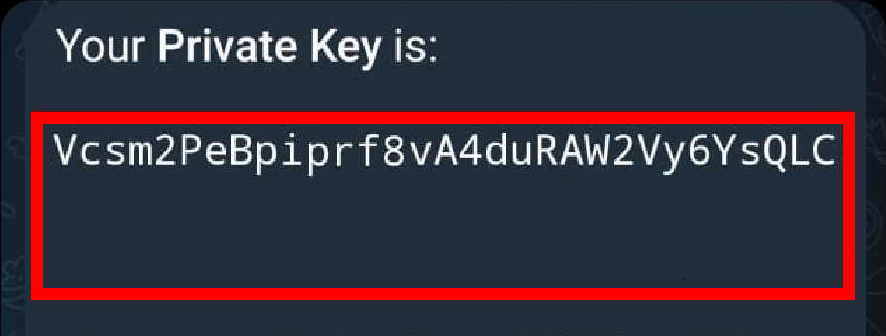
5. Copy your Private Key

<figure><img src="https://250218532-files.gitbook.io/~/files/v0/b/gitbook-x-prod.appspot.com/o/spaces%2F2lOIZWa4paCuwsNcNkda%2Fuploads%2Fgit-blob-17d363624aca49afce7cc0e609a7bf8ea8ee600e%2FBonkbot_5.png?alt=media" alt="Copy your Private Key"><figcaption><p>Bonkbot - Copy Private Key</p></figcaption></figure>

6. Open [**Phantom**](https://phantom.app/) wallet

<figure><img src="https://250218532-files.gitbook.io/~/files/v0/b/gitbook-x-prod.appspot.com/o/spaces%2F2lOIZWa4paCuwsNcNkda%2Fuploads%2Fgit-blob-4d5facba7fcefd69957bbc4ddacb3c195e0727ab%2FBonkbot_6.png?alt=media" alt="Phantom Wallet Logo"><figcaption><p>Mobile - Open Phantom App</p></figcaption></figure>

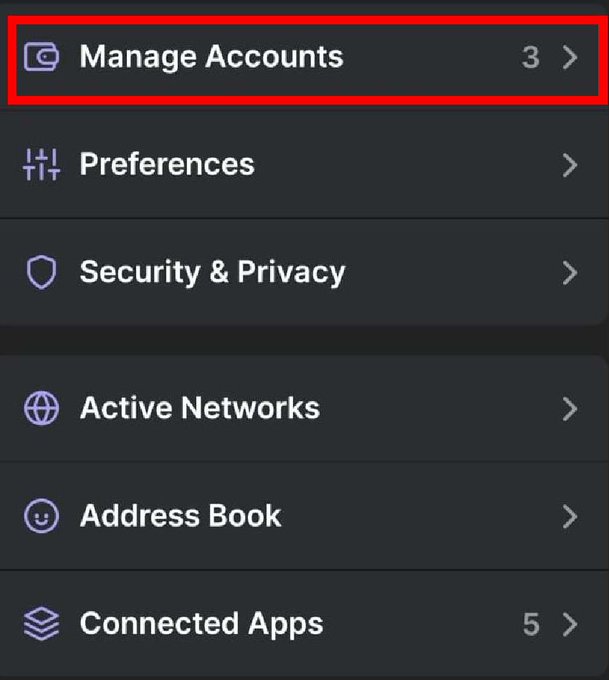
7. Click on the top left icon to open Setting and choose Manage Accounts

<figure><img src="https://250218532-files.gitbook.io/~/files/v0/b/gitbook-x-prod.appspot.com/o/spaces%2F2lOIZWa4paCuwsNcNkda%2Fuploads%2Fgit-blob-d24b9a7b0e161f76b3492ab9703cf6227db33a5c%2FBonkbot_7.jpg?alt=media" alt="Go to Manage Accounts"><figcaption><p>Phantom Mobile - Press Manage Accounts</p></figcaption></figure>

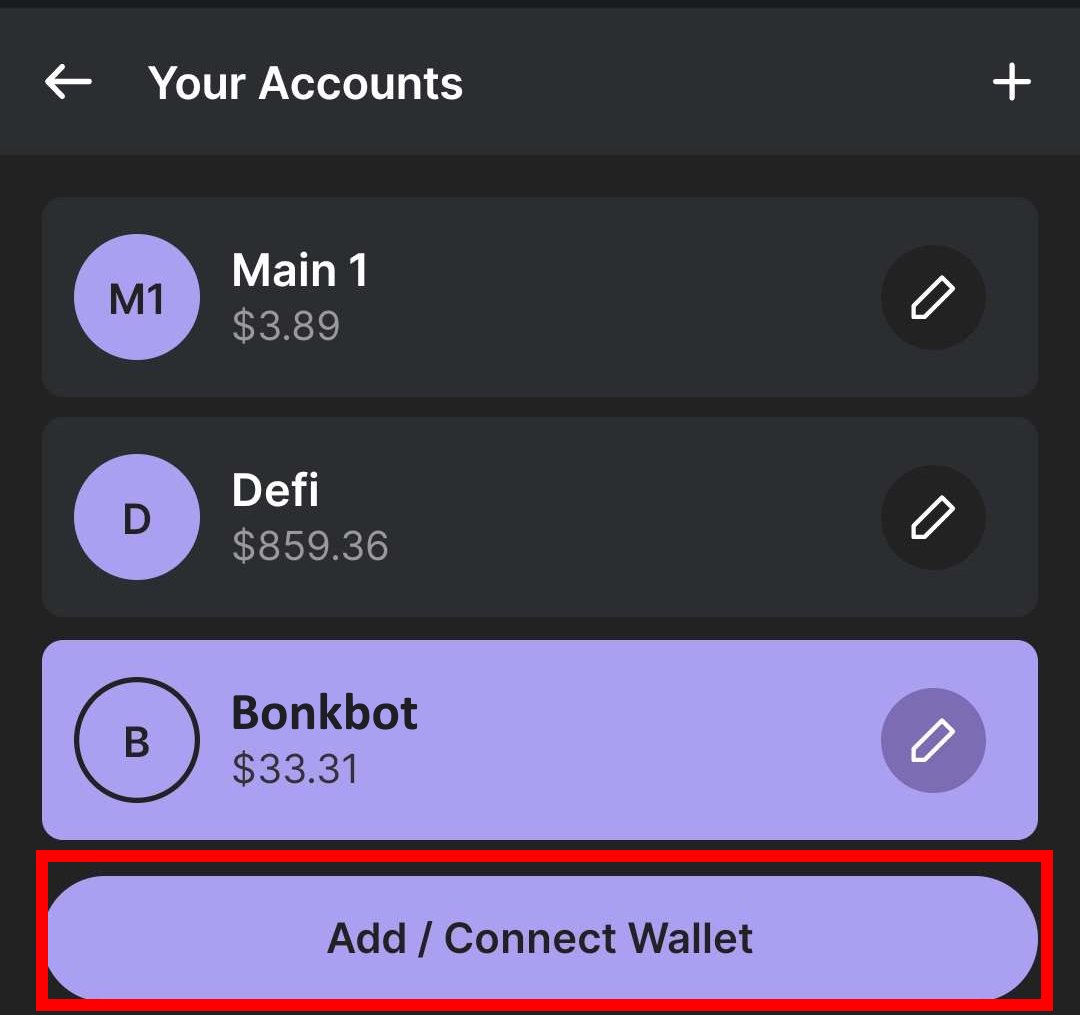
8. Click on Add /Connect Wallet

<figure><img src="https://250218532-files.gitbook.io/~/files/v0/b/gitbook-x-prod.appspot.com/o/spaces%2F2lOIZWa4paCuwsNcNkda%2Fuploads%2Fgit-blob-0dca9256e6ec227651224323012d1c55d25a2179%2FBonkbot_8.jpg?alt=media" alt="Click Add / Connect Wallet"><figcaption><p>Phantom Mobile - Press Add / Connect Wallet</p></figcaption></figure>

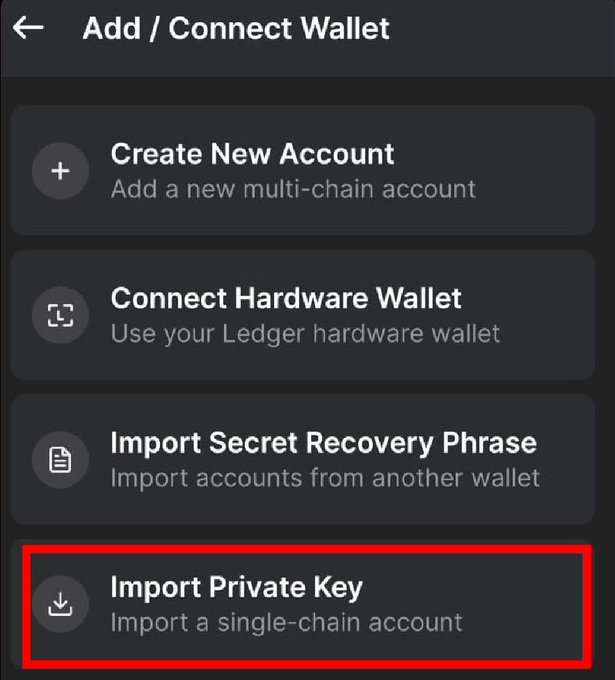
9. Click on Import Private Key and paste your copied key

<figure><img src="https://250218532-files.gitbook.io/~/files/v0/b/gitbook-x-prod.appspot.com/o/spaces%2F2lOIZWa4paCuwsNcNkda%2Fuploads%2Fgit-blob-175b7bd25f938661d43859a9117d4a28a4cac4a3%2FBonkbot_9.jpg?alt=media" alt="Import the previous copied Private Key"><figcaption><p>Phantom Mobile - Press Import Private Key</p></figcaption></figure>

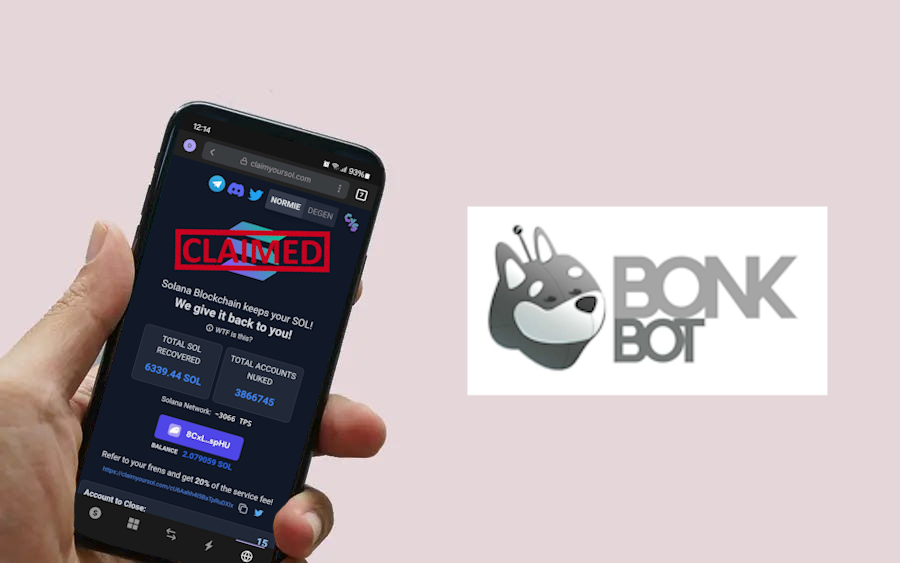
10. With this wallet selected go to [**https://claimyoursol.com**](https://claimyoursol.com) and recover SOL for all those (now empty) memecoin token accounts. If you require help with the step follow our [**Phantom Mobile** ](https://claimyoursol.gitbook.io/guides/phantom-mobile)guide.