# Photon - Trading Software

<figure><img src="https://250218532-files.gitbook.io/~/files/v0/b/gitbook-x-prod.appspot.com/o/spaces%2F2lOIZWa4paCuwsNcNkda%2Fuploads%2Fgit-blob-bb8d44692d754e8eaeac7752f11e1522a7fd3d5b%2FPhoton_logo.png?alt=media" alt="Photon Logo"><figcaption><p>How to claim your sol from Photon Trading wallet - Step by Step explanation</p></figcaption></figure>

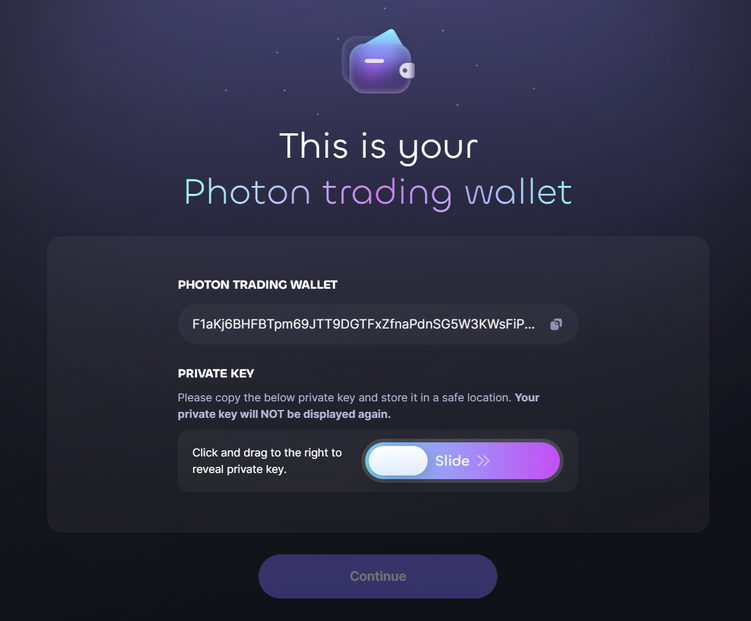
1. To be able to claim from [**Photon on Sol**](https://photon-sol.tinyastro.io/) you must already possess the Private Key of this wallet, which **is only shown once** to the user, upon Photon wallet creation!

This is clearly stated in [**Photon's documentation**](https://pies-organization.gitbook.io/photon-trading/photon-on-sol)**:**

> To ensure that we keep your account as secure as possible, the private key for your Photon trading wallet is only revealed to you only **once**. You'll need to use the slider to reveal the private key.

> **PLEASE NOTE**: Your private key will be revealed **ONLY ONCE** at this step. Please take a moment to save your private key in a safe place before clicking "Continue."

<figure><img src="https://250218532-files.gitbook.io/~/files/v0/b/gitbook-x-prod.appspot.com/o/spaces%2F2lOIZWa4paCuwsNcNkda%2Fuploads%2Fgit-blob-c5043d397a5ab6cc940fbfc73b98fea44ae79e6e%2FPhoton_2.png?alt=media" alt="The only chance to view the Private Key" width="563"><figcaption><p>Photon - The only chance to view the Private Key</p></figcaption></figure>

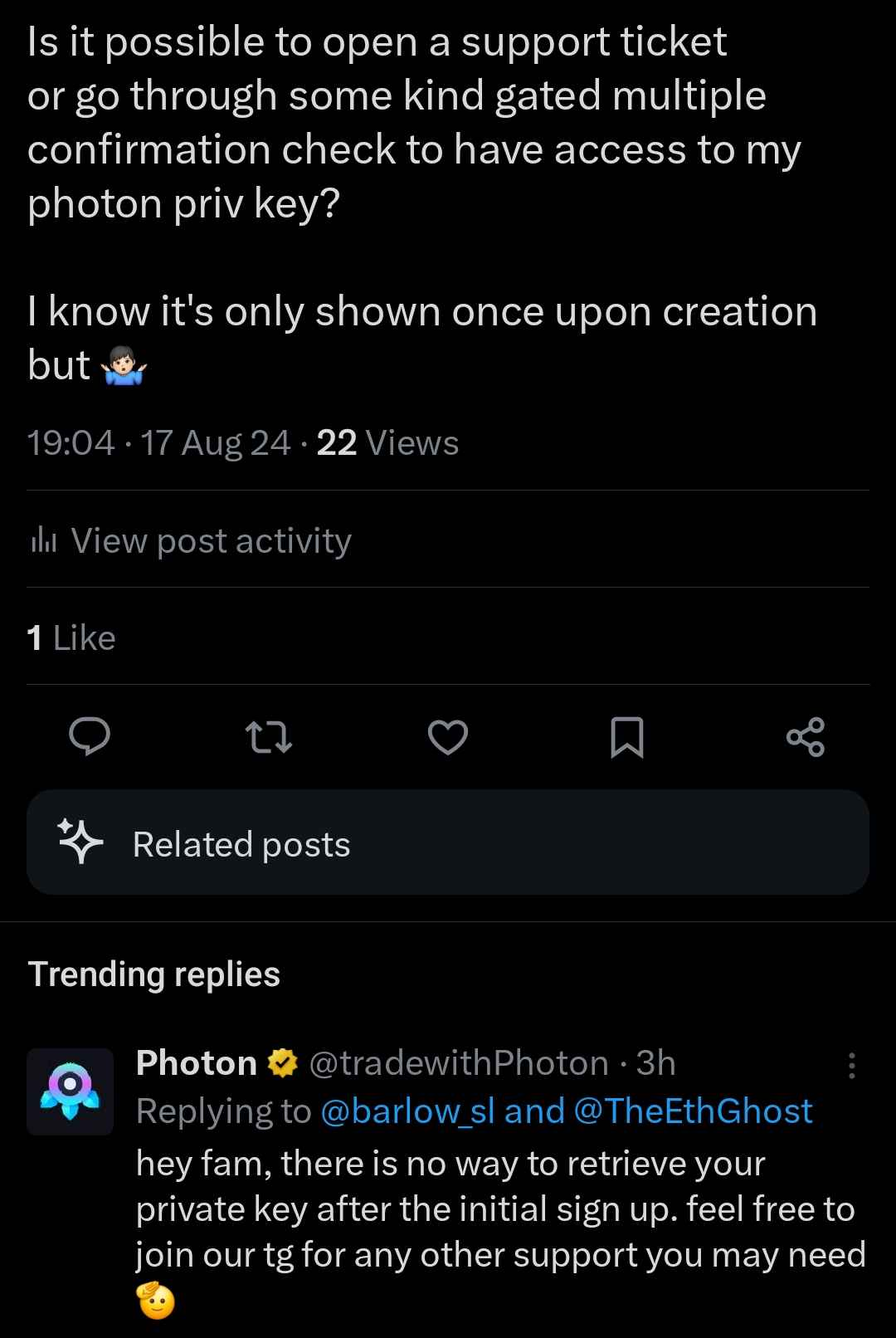
We've questioned Photon's team directly and publicly on X about the issue, and if there was a way to recover the private key later on. [**This**](https://x.com/tradewithPhoton/status/1825017424392962145) was their reply:

<figure><img src="https://250218532-files.gitbook.io/~/files/v0/b/gitbook-x-prod.appspot.com/o/spaces%2F2lOIZWa4paCuwsNcNkda%2Fuploads%2Fgit-blob-b91dc6db9cb4d1be6244e96bb3e25c5ef110d96a%2FPhoton_reply.png?alt=media" alt="Private Key clarification" width="375"><figcaption><p>Photon - Private Key clarification</p></figcaption></figure>

2. If you have Photon's Private Key, open [**Phantom**](https://phantom.app/) wallet

<figure><img src="https://250218532-files.gitbook.io/~/files/v0/b/gitbook-x-prod.appspot.com/o/spaces%2F2lOIZWa4paCuwsNcNkda%2Fuploads%2Fgit-blob-4d5facba7fcefd69957bbc4ddacb3c195e0727ab%2FBonkbot_6.png?alt=media" alt="Phantom Wallet Logo"><figcaption><p>Mobile - Open Phantom App</p></figcaption></figure>

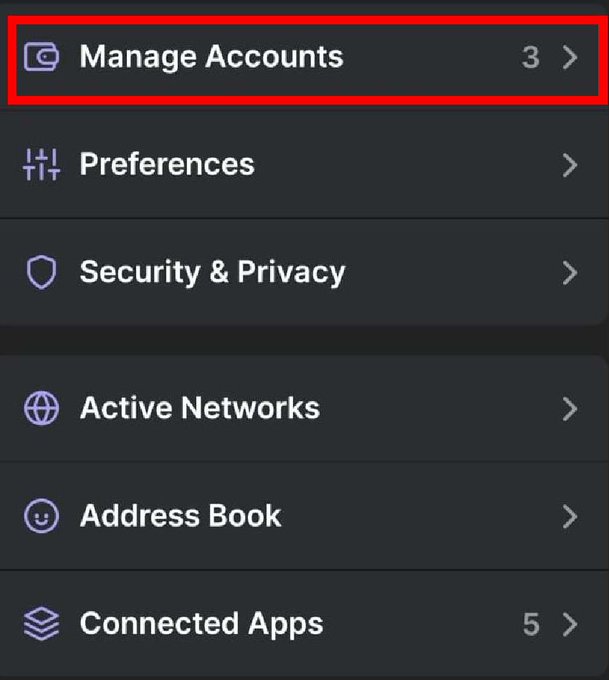
3. Click on the top left icon to open Setting and choose Manage Accounts

<figure><img src="https://250218532-files.gitbook.io/~/files/v0/b/gitbook-x-prod.appspot.com/o/spaces%2F2lOIZWa4paCuwsNcNkda%2Fuploads%2Fgit-blob-d24b9a7b0e161f76b3492ab9703cf6227db33a5c%2FBonkbot_7.jpg?alt=media" alt="Go to Manage Accounts"><figcaption><p>Phantom Mobile - Press Manage Accounts</p></figcaption></figure>

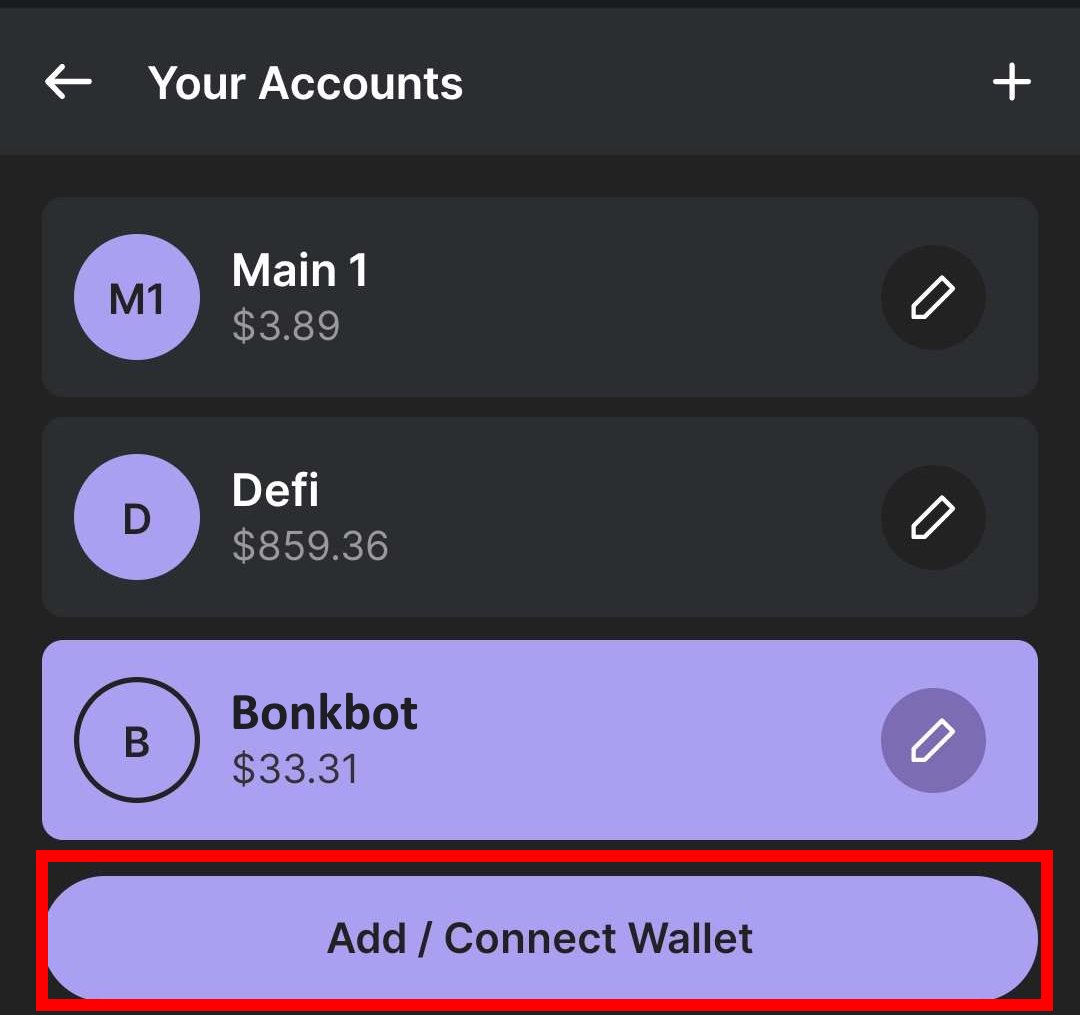
4. Click on Add /Connect Wallet

<figure><img src="https://250218532-files.gitbook.io/~/files/v0/b/gitbook-x-prod.appspot.com/o/spaces%2F2lOIZWa4paCuwsNcNkda%2Fuploads%2Fgit-blob-0dca9256e6ec227651224323012d1c55d25a2179%2FBonkbot_8.jpg?alt=media" alt="Click Add / Connect Wallet"><figcaption><p>Phantom Mobile - Press Add / Connect Wallet</p></figcaption></figure>

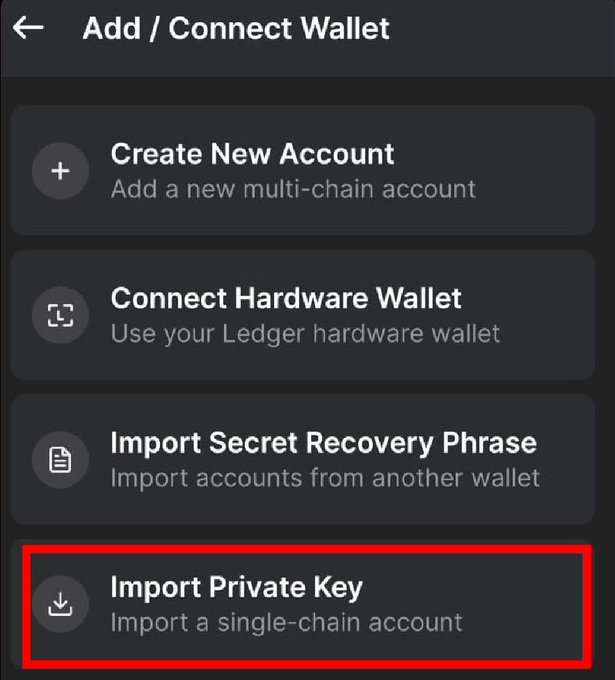
5. Click on Import Private Key and paste your copied key

<figure><img src="https://250218532-files.gitbook.io/~/files/v0/b/gitbook-x-prod.appspot.com/o/spaces%2F2lOIZWa4paCuwsNcNkda%2Fuploads%2Fgit-blob-175b7bd25f938661d43859a9117d4a28a4cac4a3%2FBonkbot_9.jpg?alt=media" alt="Import the previous copied Private Key"><figcaption><p>Phantom Mobile - Press Import Private Key</p></figcaption></figure>

6. With this wallet selected go to [**https://claimyoursol.com**](https://claimyoursol.com) and recover SOL for all those (now empty) memecoin token accounts. If you require help with the step follow our [**Phantom Mobile** ](https://claimyoursol.gitbook.io/guides/phantom-mobile)guide.