# Trojan - Telegram Trading Bot

<figure><img src="https://250218532-files.gitbook.io/~/files/v0/b/gitbook-x-prod.appspot.com/o/spaces%2F2lOIZWa4paCuwsNcNkda%2Fuploads%2Fgit-blob-1e7f8655e71927ef347d9cf17013200cc14699eb%2FTrojan_1.png?alt=media" alt="Trojan Logo"><figcaption><p>How to claim your sol from Trojan on Solana wallet - Step by Step explanation</p></figcaption></figure>

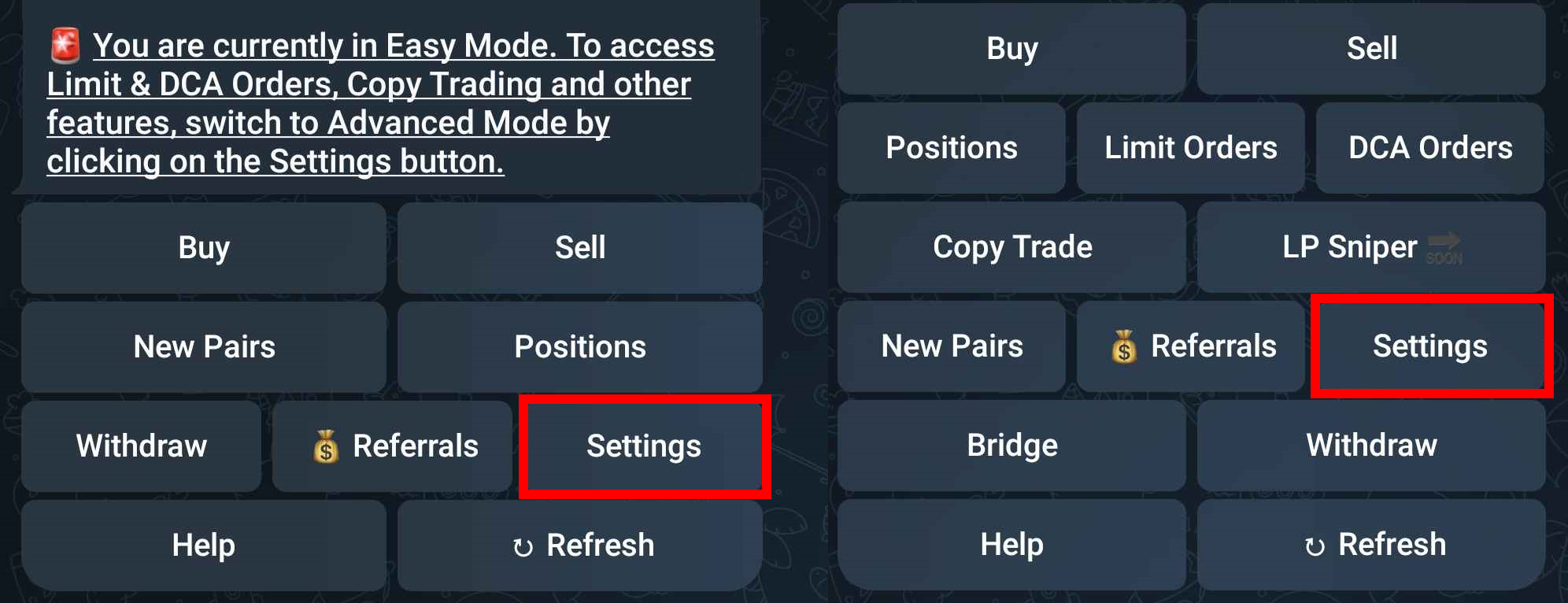
1. Open [Trojan](https://t.co/OjdUlFml2P) and do /start. Depending if you're trading in the Easy mode (left) or the Advanced mode (right) the layout may vary.
2. Click on Settings

<figure><img src="https://250218532-files.gitbook.io/~/files/v0/b/gitbook-x-prod.appspot.com/o/spaces%2F2lOIZWa4paCuwsNcNkda%2Fuploads%2Fgit-blob-3fd90918ff3e1be28e1f2efc58b110ee61535787%2FTrojan_2.png?alt=media" alt="Press Settings"><figcaption><p>Trojan on Solana - Press Settings</p></figcaption></figure>

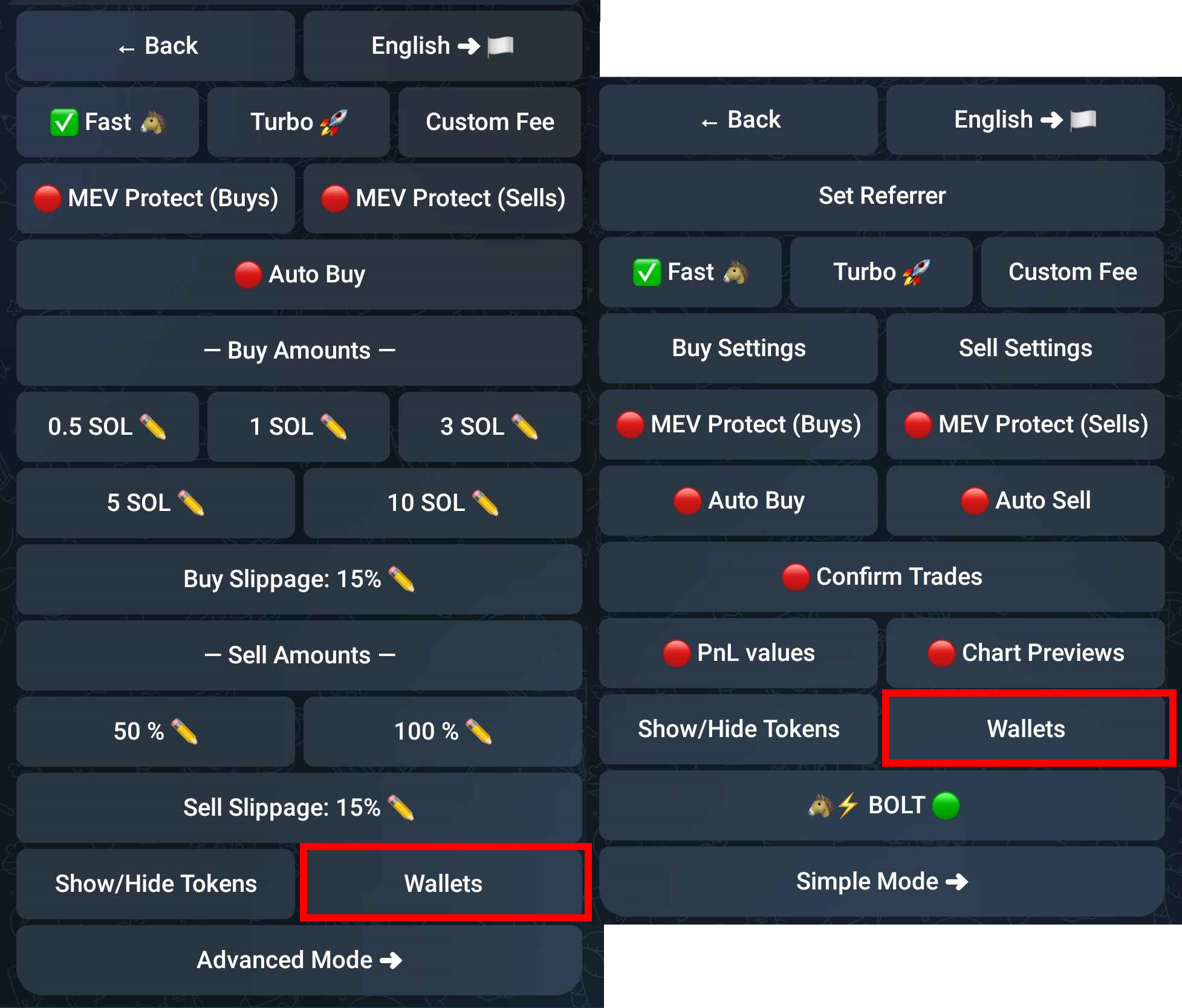
3. Click on Wallets

<figure><img src="https://250218532-files.gitbook.io/~/files/v0/b/gitbook-x-prod.appspot.com/o/spaces%2F2lOIZWa4paCuwsNcNkda%2Fuploads%2Fgit-blob-b51852254474a94981ca002ee5e73c067999dfb2%2FTrojan_3.png?alt=media" alt="Press Wallets"><figcaption><p>Trojan on Solana - Press Wallets</p></figcaption></figure>

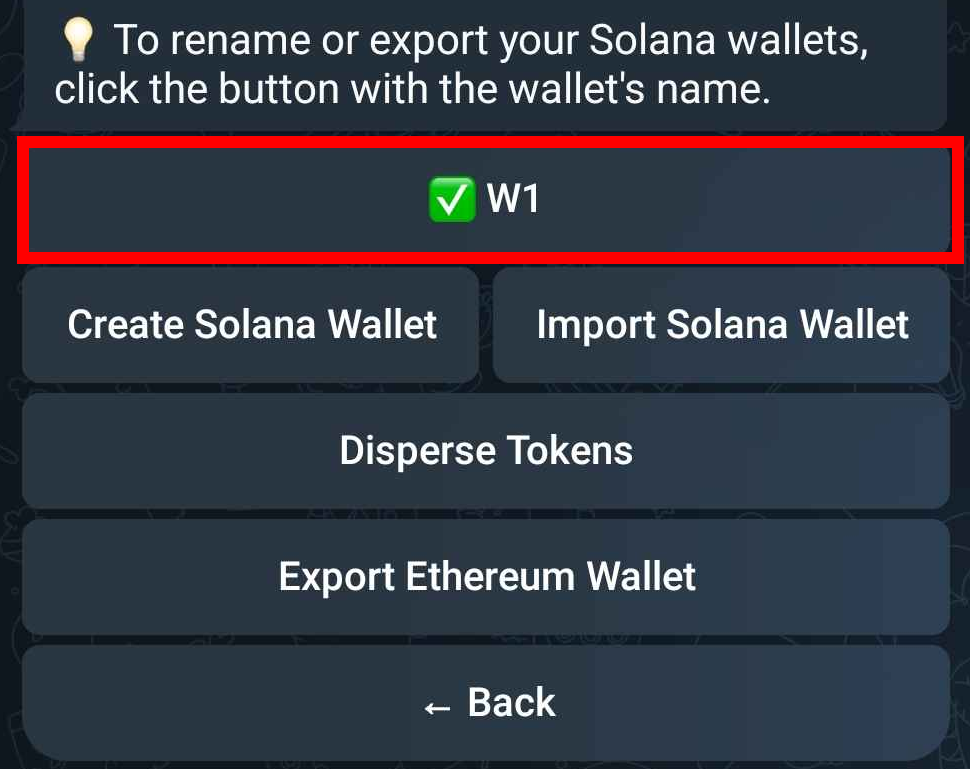
4. Select the wallet you want to retrieve the Private Key (default is W1)

<figure><img src="https://250218532-files.gitbook.io/~/files/v0/b/gitbook-x-prod.appspot.com/o/spaces%2F2lOIZWa4paCuwsNcNkda%2Fuploads%2Fgit-blob-51dfc63b13abf71ebcc25b62c1892f533ae5c309%2FTrojan_4.png?alt=media" alt="Choose your Solana wallet"><figcaption><p>Trojan on Solana - Choose your Solana wallet</p></figcaption></figure>

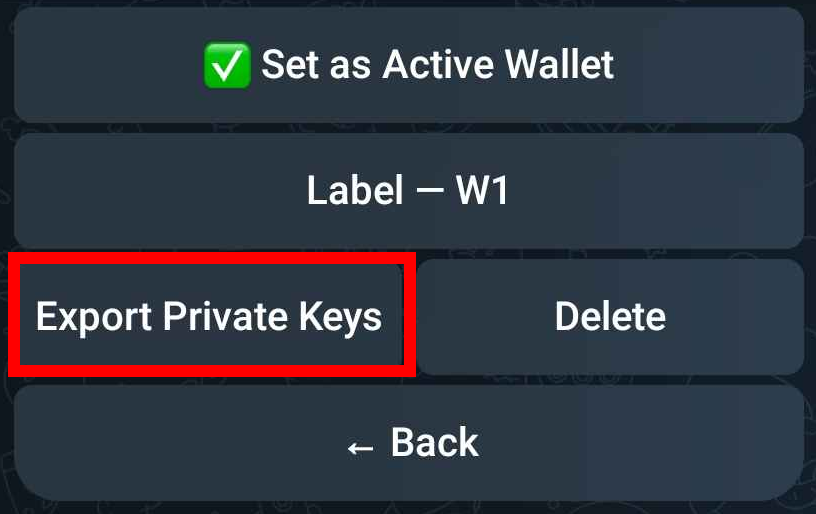
5. Click on Export Private Keys

<figure><img src="https://250218532-files.gitbook.io/~/files/v0/b/gitbook-x-prod.appspot.com/o/spaces%2F2lOIZWa4paCuwsNcNkda%2Fuploads%2Fgit-blob-4586e30e1ee474c722890f4e2745da4576d1a708%2FTrojan_5.png?alt=media" alt="Press Export Private Keys"><figcaption><p>Trojan on Solana - Press Export Private Keys</p></figcaption></figure>

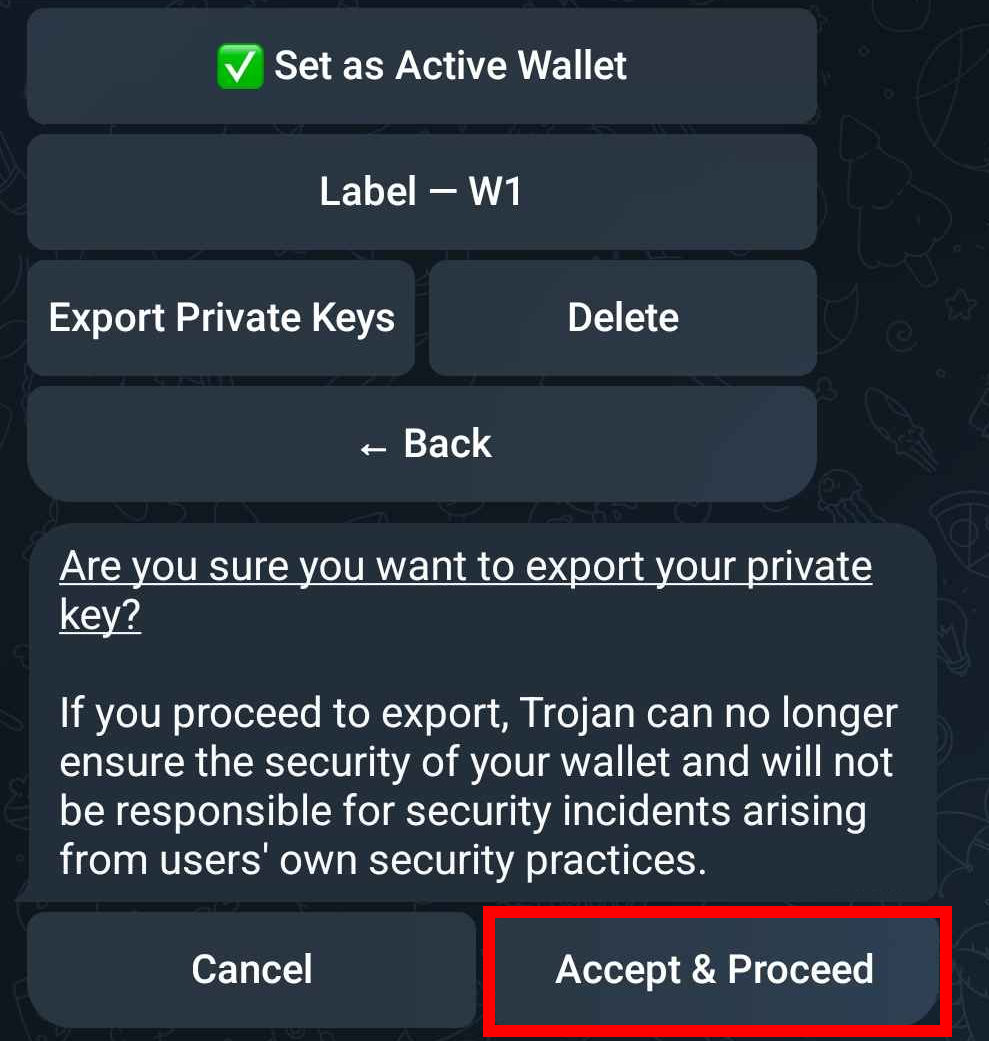
6. Click Accept & Proceed

<figure><img src="https://250218532-files.gitbook.io/~/files/v0/b/gitbook-x-prod.appspot.com/o/spaces%2F2lOIZWa4paCuwsNcNkda%2Fuploads%2Fgit-blob-e18616e3de9d074d1d08d703c04293436137eaa0%2FTrojan_6.png?alt=media" alt="Press Accept &#x26; Proceed"><figcaption><p>Trojan on Solana - Press Accept &#x26; Proceed</p></figcaption></figure>

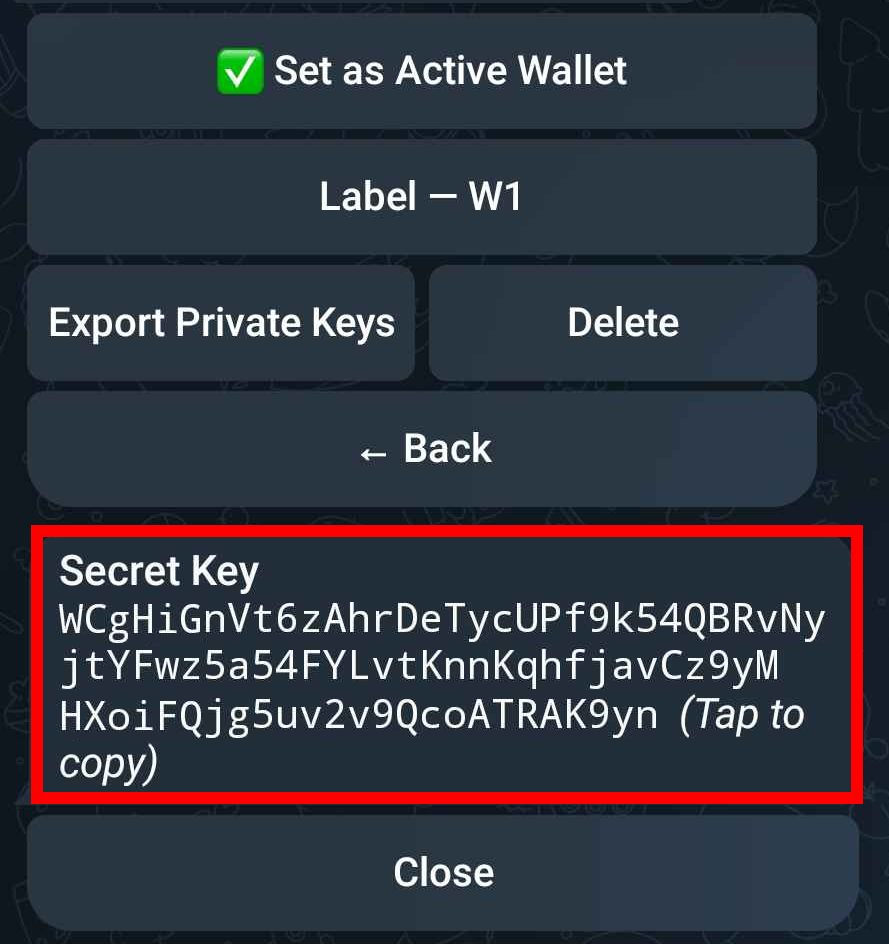
7. Copy your Private Key

<figure><img src="https://250218532-files.gitbook.io/~/files/v0/b/gitbook-x-prod.appspot.com/o/spaces%2F2lOIZWa4paCuwsNcNkda%2Fuploads%2Fgit-blob-a3794b9915886fc2a27ead6b74f6f23139fbbed4%2FTrojan_7.png?alt=media" alt="Copy Private Key"><figcaption><p>Trojan on Solana - Copy Private Key</p></figcaption></figure>

8. Open [**Phantom**](https://phantom.app/) wallet

<figure><img src="https://250218532-files.gitbook.io/~/files/v0/b/gitbook-x-prod.appspot.com/o/spaces%2F2lOIZWa4paCuwsNcNkda%2Fuploads%2Fgit-blob-4d5facba7fcefd69957bbc4ddacb3c195e0727ab%2FBonkbot_6.png?alt=media" alt="Phantom Wallet Logo"><figcaption><p>Mobile - Open Phantom App</p></figcaption></figure>

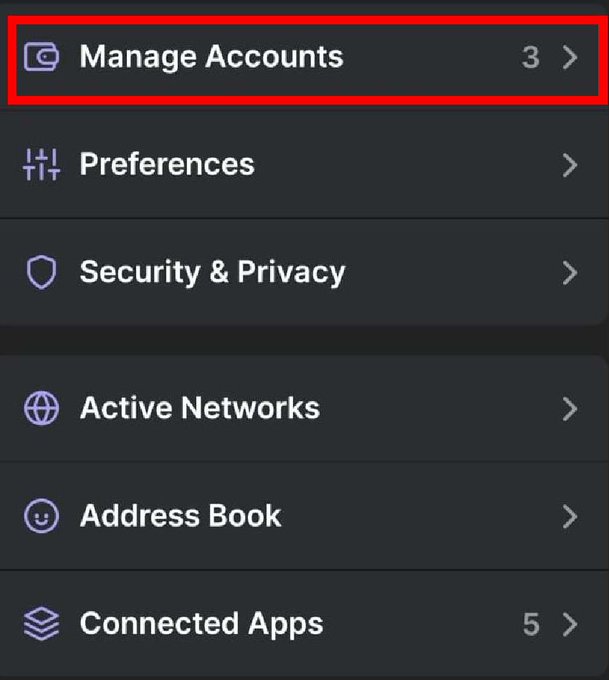
9. Click on the top left icon to open Setting and choose Manage Accounts

<figure><img src="https://250218532-files.gitbook.io/~/files/v0/b/gitbook-x-prod.appspot.com/o/spaces%2F2lOIZWa4paCuwsNcNkda%2Fuploads%2Fgit-blob-d24b9a7b0e161f76b3492ab9703cf6227db33a5c%2FBonkbot_7.jpg?alt=media" alt="Go to Manage Accounts"><figcaption><p>Phantom Mobile - Press Manage Accounts</p></figcaption></figure>

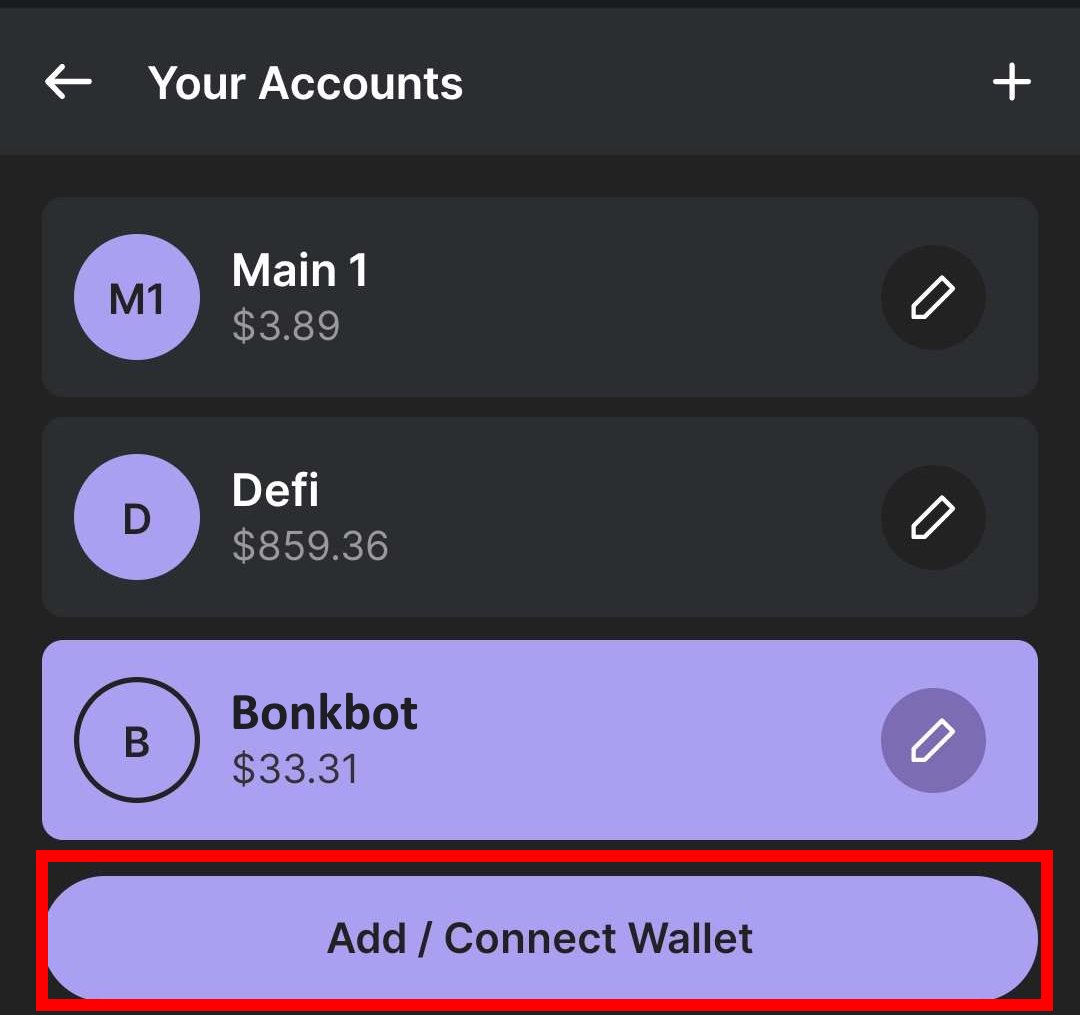
10. Click on Add /Connect Wallet

<figure><img src="https://250218532-files.gitbook.io/~/files/v0/b/gitbook-x-prod.appspot.com/o/spaces%2F2lOIZWa4paCuwsNcNkda%2Fuploads%2Fgit-blob-0dca9256e6ec227651224323012d1c55d25a2179%2FBonkbot_8.jpg?alt=media" alt="Click Add / Connect Wallet"><figcaption><p>Phantom Mobile - Press Add / Connect Wallet</p></figcaption></figure>

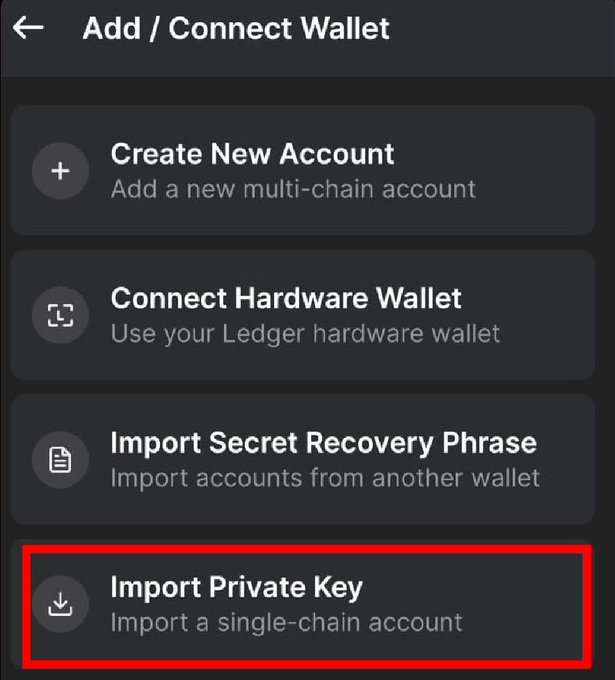
11. Click on Import Private Key and paste your copied key

<figure><img src="https://250218532-files.gitbook.io/~/files/v0/b/gitbook-x-prod.appspot.com/o/spaces%2F2lOIZWa4paCuwsNcNkda%2Fuploads%2Fgit-blob-175b7bd25f938661d43859a9117d4a28a4cac4a3%2FBonkbot_9.jpg?alt=media" alt="Import the previous copied Private Key"><figcaption><p>Phantom Mobile - Press Import Private Key</p></figcaption></figure>

12. With this wallet selected go to [**https://claimyoursol.com**](https://claimyoursol.com) and recover SOL for all those (now empty) memecoin token accounts. If you require help with the step follow our [**Phantom Mobile** ](https://claimyoursol.gitbook.io/guides/phantom-mobile)guide.